The resources in this notebook will use lots of files across different applications so it’s important to stay organized. Set up a file system on your machine according to the instructions below.
File Organization
On your machine, identify a path where you will keep your files. On Mac, I recommend putting a folder in your Documents folder. For the demos, I’ll put my work in
/Users/mike/Documents/MLML/MS274On Windows, I recommend putting a folder in your Documents folder of the C drive, i.e.:
C:\Documents\MLML\MS274Wherever your folder lives, make the following subfolders:
|-- MS274
  |-- Lecture
  |-- Lab
  |-- Homework
  |-- Maps
    |-- Vector Layers
    |-- Raster Layers
Setting a Default Download Location
To stay organized, we’ll be sure to download our files into the correct locations on our machines (the folders we’ve made above). In your web brower, change your settings to ask you where you want to download your files so that it doesn’t put a downloaded file somewhere on your machine by default.
For example, if you are using Chrome, navigate to the Settings tab and ensure the “Ask where to save each file before downloading” option is turned on.
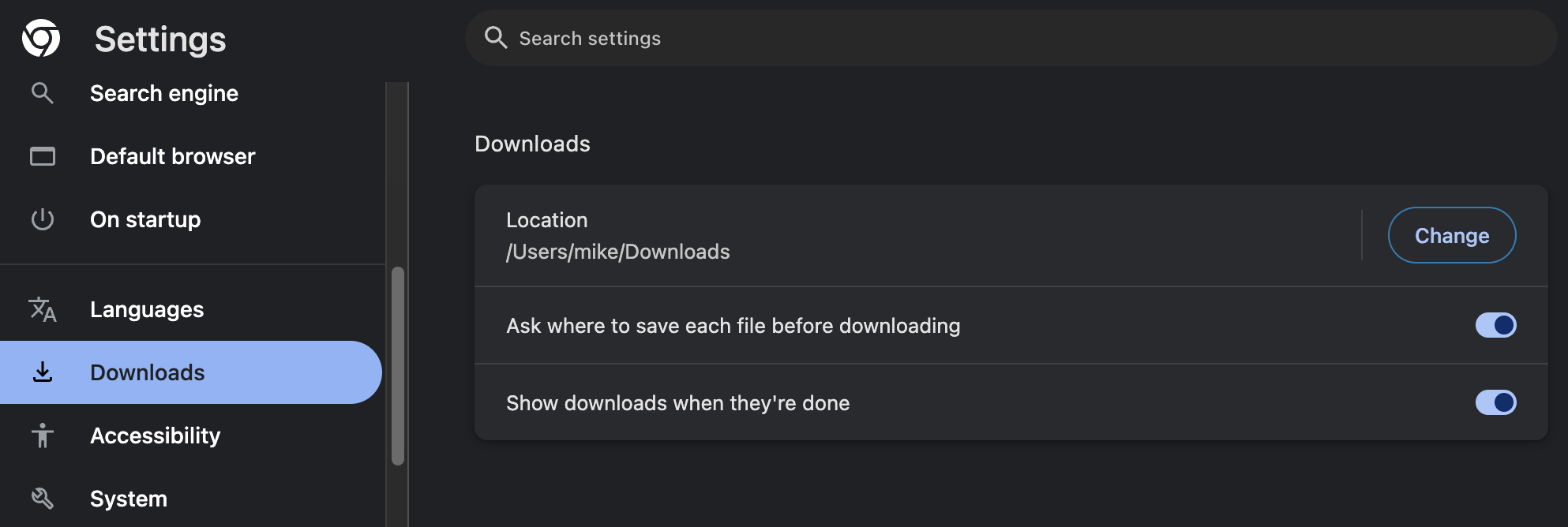
Other web browsers will have similar settings for downloading files.